How I check prices and specs
Every price comes from the maker’s own US store or a big retailer the maker names, and every spec from the maker’s own pages, each with the day I read it. When a maker doesn’t say, I say “Not stated”. Nothing is ranked, and every change is public.
What you’ll see on my pages
- Checked Oct 30, 2026The day I read the price on the store’s own page.
- Maker says, Oct 20, 2026The maker’s own words, as they stood that day.
- Not statedChecked Oct 20, 2026I looked, and the maker doesn’t say.
- Found in FCC ID search, Nov 2, 2026A certification I found in the certifier’s own database, not the maker’s words.
- Sale price on Oct 30A sale on that store that day.
- Not rankedThe order of a list is not a judgement.
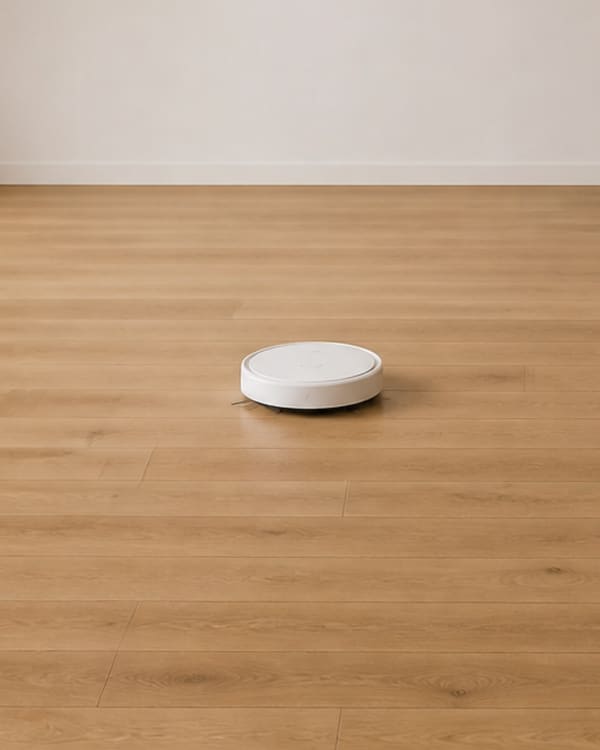
- Not a picture of this modelAn illustration of the kind of robot.
Where prices come from
From the maker’s own US store, and big retailers the maker names.
- Every price is one I checked on the store’s own page, in US dollars, on the day shown.
- Prices come from the maker’s own US store, and from large retailers the maker names as sellers on its own website.
- It’s the checkout price before tax, with no coupon codes applied.
- I never show a struck-through or “compare at” price, and never call one a “was” price.
- A price on sale says so: “Sale price on Oct 30”. A sale can end at any time, so the date matters.
- When a maker states its own terms, I quote them. Unitree, for example: “Tax and Shipping cost excluded”.
- Amazon doesn’t allow sites like mine to show a price I checked myself. For Amazon there’s a button to see the price there, not a number.
- Prices seen anywhere else, such as review sites or stores the maker doesn’t name, are never published.
Which stores I list
The maker’s own store, plus big retailers the maker names.
- I list the maker’s own US store, and large retailers (Amazon, Walmart, Best Buy, Home Depot, Lowe’s and Target) when the maker names them as sellers on its own website. I keep a dated link to the maker’s page that names each one.
- I don’t list specialist dealers, even when the maker names them, or marketplaces such as Temu and TikTok Shop.
- On Amazon and Walmart I link only to listings sold by the retailer itself or by the maker’s own storefront, never to other sellers there.
- Each robot shows up to three prices: the lowest in-stock prices I found, lowest first. Sold-out stores come after those in stock, and Amazon, which shows no number, comes last.
- A store is listed only for the exact model and size it sells.
- Specs always come from the maker, never from a store’s listing.
Sizes, versions and stock
Each one is listed on its own, with its own price.
- When a maker sells several sizes or versions, each one gets its own price and stock.
- Category lists show the lowest in-stock price I found, and name the store. Every size is on the robot’s own page.
- Bundles and add-on kits aren’t listed as robots of their own. Where a maker sells one, its price is on the robot’s page, under Not in the total.
- Stock is what each store showed that day: In stock or Sold out. Sold-out models stay on the list, marked as sold out.
- Humanoid versions, like Unitree R1, R1 Air and R1 EDU, each have their own page.
What it costs in the first year
The price, plus anything the maker says you must pay, added up.
- Every robot with a published price has its first year added up on its price card, line by line. Where a maker sells several sizes, it’s shown for each size.
- The total is the price plus any cost the maker says you must pay in the first year, such as a required subscription. Only costs the maker publishes, with the day I checked. I never estimate a cost.
- Optional extras, like bundles and extended warranties, are listed under Not in the total, with their price, or “price not checked”.
- What the maker includes is listed too, so you can see what the total buys.
- Costs that start later, after a free first year, say so. A 3-year figure appears only when every part of it is published.
- Monthly plans are multiplied out at today’s price. Deposits, tax and shipping aren’t added. Where the maker says you pay them, the card says so.
- Whether a robot vacuum, pool robot or mower needs a subscription is read on the maker’s own US pages and shown in its Buying group: needed, optional, not needed, or not stated. Optional plans are listed under Not in the total. I check again at each price check.
What the marks mean
Every value carries the day I read it.
- Checked <date> is the day I read that price on the store’s own page, or that spec on the maker’s own site.
- Maker says, <date>, with the check mark, means the value is in the maker’s own words, as they stood that day. Suction, runtime and lawn area are the maker’s claims, not my tests.
- Not stated means I looked on the maker’s pages and the maker doesn’t say. I never fill a gap with a guess.
- The Glossary explains the technical words in my tables. Where a definition says what a maker calls something or offers, it names the maker’s page and the day I read it, and I read it again at each price check.
- Values keep the maker’s own units, so a slope can read “45% (24°)”.
- I don’t test robots. I compare what makers publish, with the date.
- Straight answers, near the end of each category page and Humanoids, are counted from the same records as the page’s table. Every robot on the page is counted once, as “N of the M I list”, and named. A robot whose maker doesn’t state the fact is counted as not stated, never guessed. Each answer shows the oldest check date among the robots it counts.
- Will it suit my yard?, on Robot mowers, checks your lawn against the same records as the table. Lawn area: a mower fits if its maker’s figure for its largest size sold is at least your lawn’s area. Slope: a mower fits if its maker’s maximum slope, in %, is at least your steepest slope. Where a maker gives degrees only, I use its figure converted to %. Where a maker doesn’t state a figure, the mower is listed as Not stated, never counted as a fit or a miss. Not ranked: each group is in the table’s order, by price.
- AI tools (Claude, Gemini and Perplexity) help me read makers’ pages and keep the data in order. Nothing is published until I’ve checked it.
Not ranked
No list on this site is a ranking.
- There is no “best” here, no scores and no winners. Every list says Not ranked.
- Compare puts up to three robots of the same kind side by side, in the order you added them.
What’s in, and what’s out
If you can’t buy it from the maker or a big retailer the maker names, it’s out.
- In: home robots sold online to US homes on the maker’s own US store, or by a large retailer the maker names as a seller on its own website.
- Out: models sold only through specialist dealers, or only by stores the maker doesn’t name.
- Out: models with no price or no way to order in the US, and models announced for the US but not on sale there.
- Out: a model with an open CPSC recall on the model on sale. How I check recalls.
- Humanoids: I track humanoids for personal use, in homes, or sold as developer hardware a person can buy. Some humanoids aimed at businesses also name use in homes in their makers’ own materials; when they do, I include them. Small programmable robots sold as learning toys aren’t included.
- A humanoid’s status is the maker’s own. A pre-order never shows a delivery date as fact, and every date is quoted as the maker’s claim.
- When a maker shows a demo, I say whether it says a person was helping remotely.
- A model that falls out of scope stays in my records, so its history is kept. It just isn’t listed. See everything I’ve left out, and why.
What I leave out, and why
Of the 88 robots I’ve looked at, 53 are listed. The other 35 have their own page, each with the rule it fails and why. 15 could still be listed.
- Robot vacuums11 listed of 12 looked at
- Pool robots6 listed of 14 looked at
- Robot mowers8 listed of 11 looked at
- Window robots8 listed of 23 looked at
- Humanoids20 listed of 28 looked at
- All robots53 listed of 88 looked at
Counts from my records on Nov 6, 2026. “Looked at” is every robot I’ve kept a record of. “Listed” has its own page on this site. Not ranked.
See all 35, with the reason for eachSafety recalls
Searched for all 53 robots I list, on Nov 2, 2026 and Nov 6, 2026: no recall found for any model I list. No CPSC product safety warning names any of them (searched Nov 3, 2026 and Nov 6, 2026).
What these words mean: Recall, Product safety warning.
- Before a robot is listed, I search the recalls on cpsc.gov, the US Consumer Product Safety Commission, for its maker, its model and “robotic”. US recalls only.
- I also search CPSC’s product safety warnings, its alerts about products that haven’t been recalled, for the same words. The result is noted under the robot’s recall row. If a warning names a robot I list, the robot stays listed and its page shows the warning, with its date and CPSC link.
- A robot with an open recall on the model on sale isn’t listed.
- Every search is dated. Each robot page shows the result in its Safety group: “No recall found on cpsc.gov, checked <date>”, linked to the search I used.
- A recall that has been fixed is stated as a fact: what was recalled, the date, the recall number, the fix, and whether the model on sale now is affected, with a link to the CPSC page.
- Recalls of a maker’s other models are named on the robot’s page as “Not this model”, with their CPSC link.
- I search again at each price check.
- “No recall found” means none was on cpsc.gov the day I searched. It isn’t a safety rating, and I don’t test robots.
Safety certifications
Checked for all 53 robots I list, on Nov 2, 2026 and Nov 6, 2026: an FCC ID found in the FCC’s database for 12. No UL, ETL or CSA listing found that names a model I list. 1 maker claim not confirmed.
What these words mean: FCC ID, UL, ETL and CSA.
- I check four certifications for every robot: FCC ID, UL, ETL (Intertek) and CSA. A robot’s Safety group shows each one I found or the maker claims, in its own row saying who confirmed it, then one “Nothing else found” row for the rest.
- “Found in <database>, <date>”: the certifier’s own public record names the maker and this model, or, for an FCC ID, the maker’s FCC grantee code and this model’s number. The row links to the record.
- “Maker says, <date>”: the maker states it on its own page, in the words quoted, but I didn’t find it in the certifier’s database. It isn’t confirmed.
- “Nothing else found”: for the other certifications, the maker doesn’t state them and I didn’t find a record. The row shows the day I checked, and its note says what I searched in each database.
- The databases: the FCC’s equipment authorization search, UL Product iQ, Intertek’s directory for ETL, and the CSA Group Product Listing. Every search is dated. Where I couldn’t search one, the row says so.
- For an FCC ID, the model number must come from the maker’s own US page or manual, and the FCC ID must carry it. A record for a different model, or a manual for another region, is named in the row and not counted.
- I search again at each price check.
- An FCC ID means the robot’s radio was approved for sale in the US. It’s about radio interference, not safety. A UL, ETL or CSA listing means the product was tested to a safety standard. None of these is a rating, and I don’t test robots.
The Chore Map
A chore is done only when you can buy the robot that does it.
- A chore is Done today only when a robot that does it is on sale for US homes, from its maker or a big retailer the maker names.
- A humanoid counts as aiming at a chore when its maker lists the chore or shows the robot doing it.
- I don’t predict when a chore will move. Every move is dated on the Changes page.
Pictures
Pictures show the kind of robot, not the model.
- Pictures of robots are illustrations of the kind of robot. They are labelled “Not a picture of this model”.
- I don’t use makers’ product or press photos.
How changes are published
Every change is dated, public and kept.
- Every change to a price or stock at any store I list, and to a spec, status or the Chore Map, is listed on the Changes page with its date and source.
- Changes my price check finds are held for review and checked before they appear. Records that are held or rejected get no page and none of their data appears on the site. Only their names are listed, under What I leave out.
- Nothing is deleted. A correction shows what I had before and what the maker’s page says.
Report an error
Spot a wrong price, a spec the maker states differently, or a robot I’m missing? Tell me here.
- Name the robot and the value that’s wrong.
- Link the page on the maker’s own site that says otherwise, if you can.
- Corrections are listed on the Corrections page with what I had before.
I check every sourced report within a week, and log any fix on the Changes page.
Thanks, it’s on its way.
Every message is read. If I change anything, the correction is listed on the Changes page with what I had before.
See correctionsSee the rules at work
Every price below was checked on the store’s own page. Every change since is on the Changes page, with its date.